

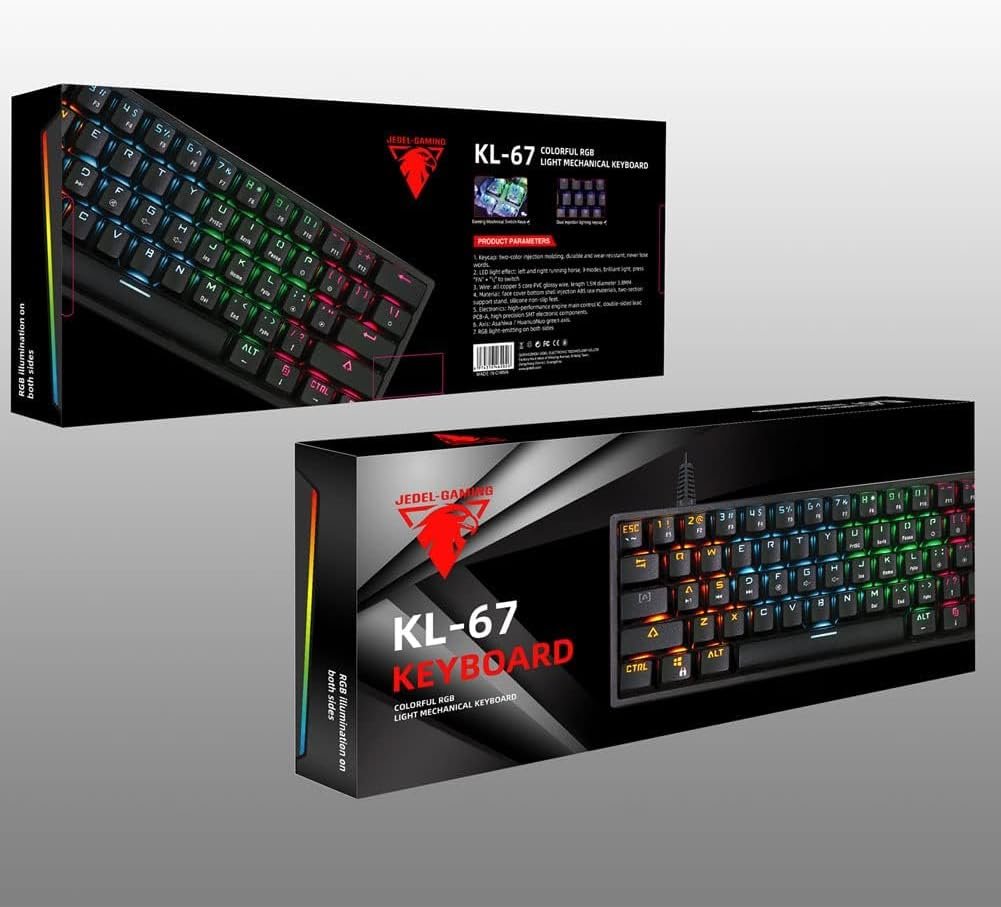
Description
Specifications
| Feature | Detail |
|---|---|
| Brand | Jedel |
| Model | KL-67 |
| Type | Gaming Keyboard |
| Keyboard Description | Mechanical |
| Number of Keys | 104 |
| Connectivity Technology | USB |
| Compatible Devices | Laptop, Computer |
| Operating System | Windows 10 (and compatible OS) |
| Special Features | Backlit, Ergonomic Design |
| Color | Red |
| Style | Modern |
| Material | Plastic |
| Included Components | Wrist Rest (if applicable) |
| Item Weight | 200 grams |
| Package Dimensions | 35 x 20 x 5 cm |
Package Contents
- Jedel KL-67 Mechanical Gaming Keyboard
- USB Cable (attached)
- Wrist Rest (if included with your model)
- User Manual (this document)
Connecting the Keyboard
- Unpack the keyboard and ensure all components listed in the Package Contents section are present.
- Locate an available USB port on your computer or laptop.
- Plug the USB connector of the keyboard cable into the USB port.
- Your operating system (e.g., Windows 10) should automatically detect and install the necessary drivers. This may take a few moments.
- Once installation is complete, the keyboard’s RGB lighting will illuminate, and it will be ready for use.
Reviews
There are no reviews yet.